Release Notes
Symptom Survey Enhancements
Introduction
Symptom surveys can currently be completed by the
In order to increase the number of surveys that are completed, a number of enhancements have been made so that the process is easier and more intuitive for the end-user. This in turn should improve Better Fixed Right First Time scores, assist with warranty compliance, and increase overall productivity by eliminating guesswork when trying to understand the customer's concerns.
Summary of enhancements:
- When adding a concern in either OS or Advisor Check-In, the user is clearly prompted to complete one of the available surveys in order to provide more detail. Surveys are still optional.
- Each completed survey is associated with only one concern in order to avoid confusion when being reviewed during the write-up or the MPI.
The changes are described in the following pages.
NOTES:
- Any surveys completed for a future appointment or for a vehicle still in the service lane cannot be converted as part of this implementation. They will be deleted.
- There are no changes required to the configuration steps.
Online Scheduler ENHANCEMENTS
When the
Note: The Symptom Surveys section has been removed.
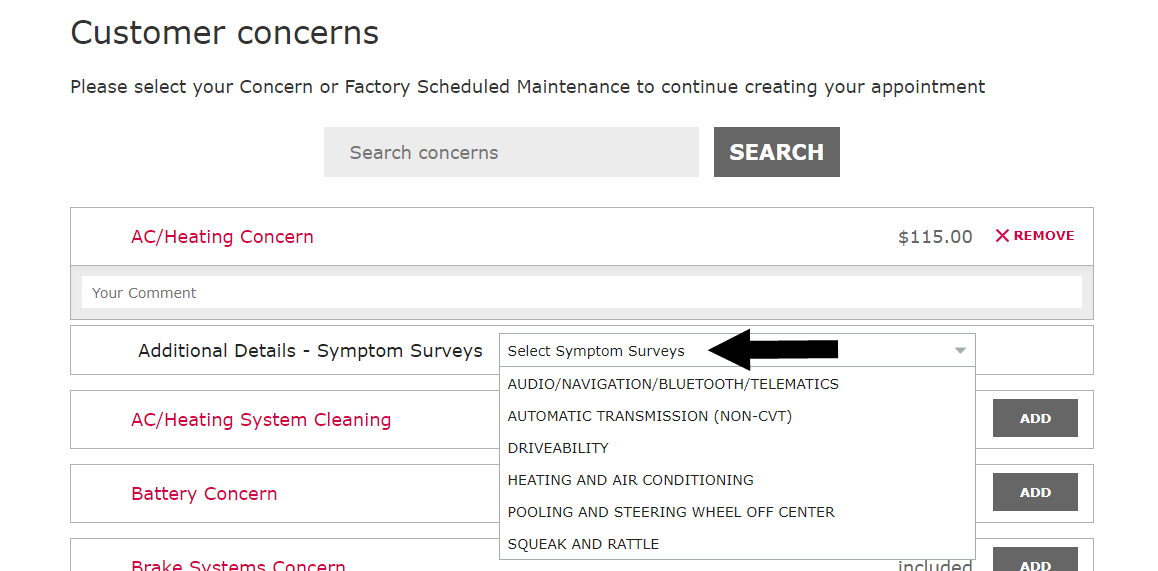
If the
Note: All possible survey types are listed regardless of the concern.
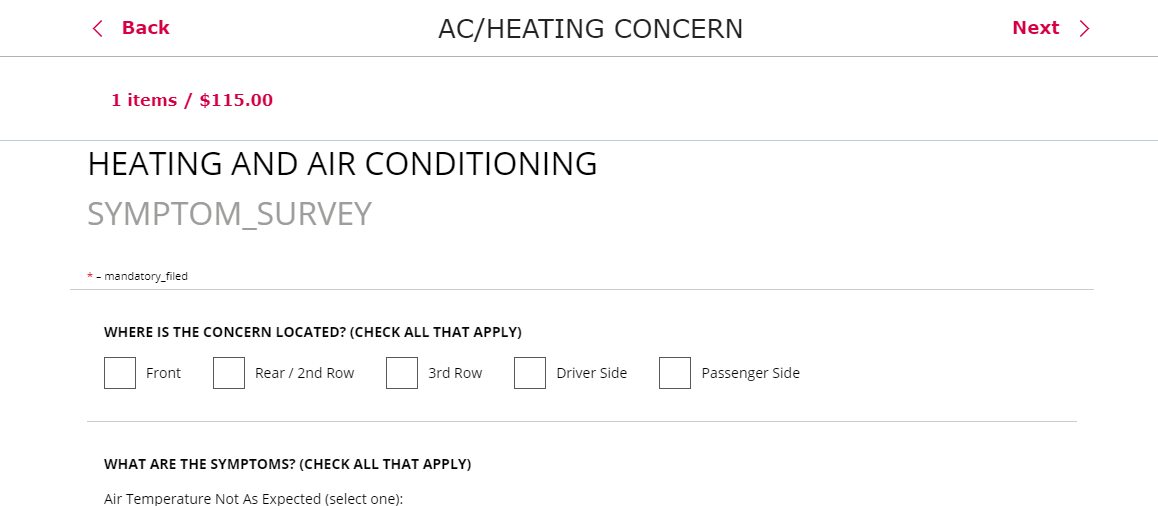
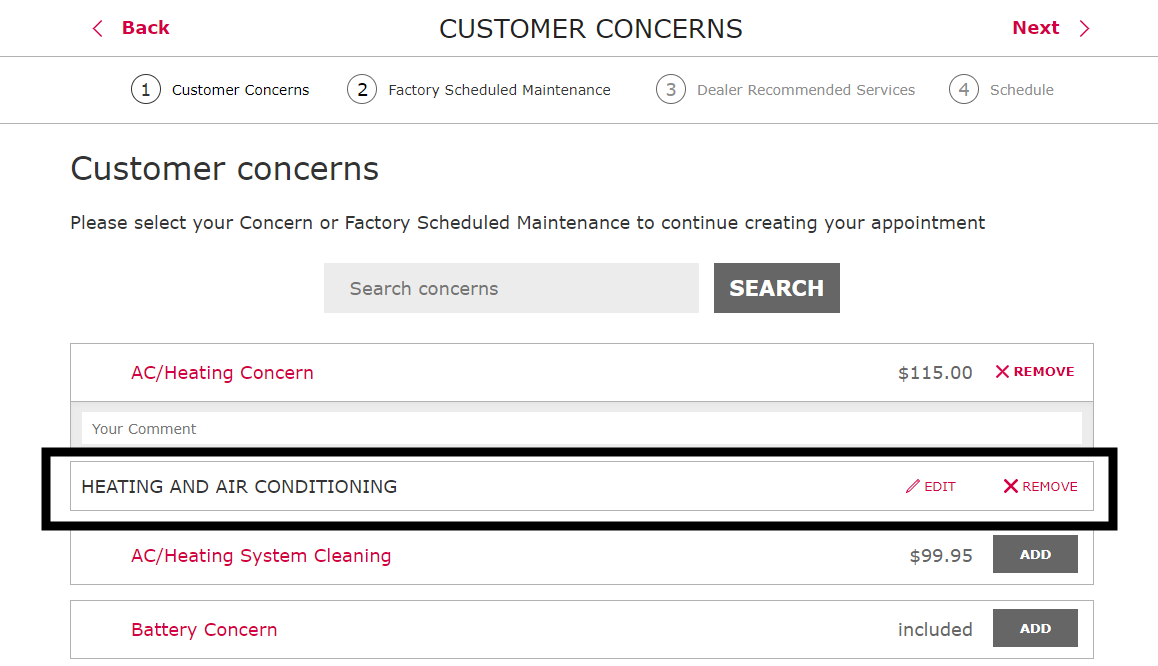
After a survey is completed, it appears under the specific concern it relates to. The
Note: Removing a concern also deletes the associated survey.
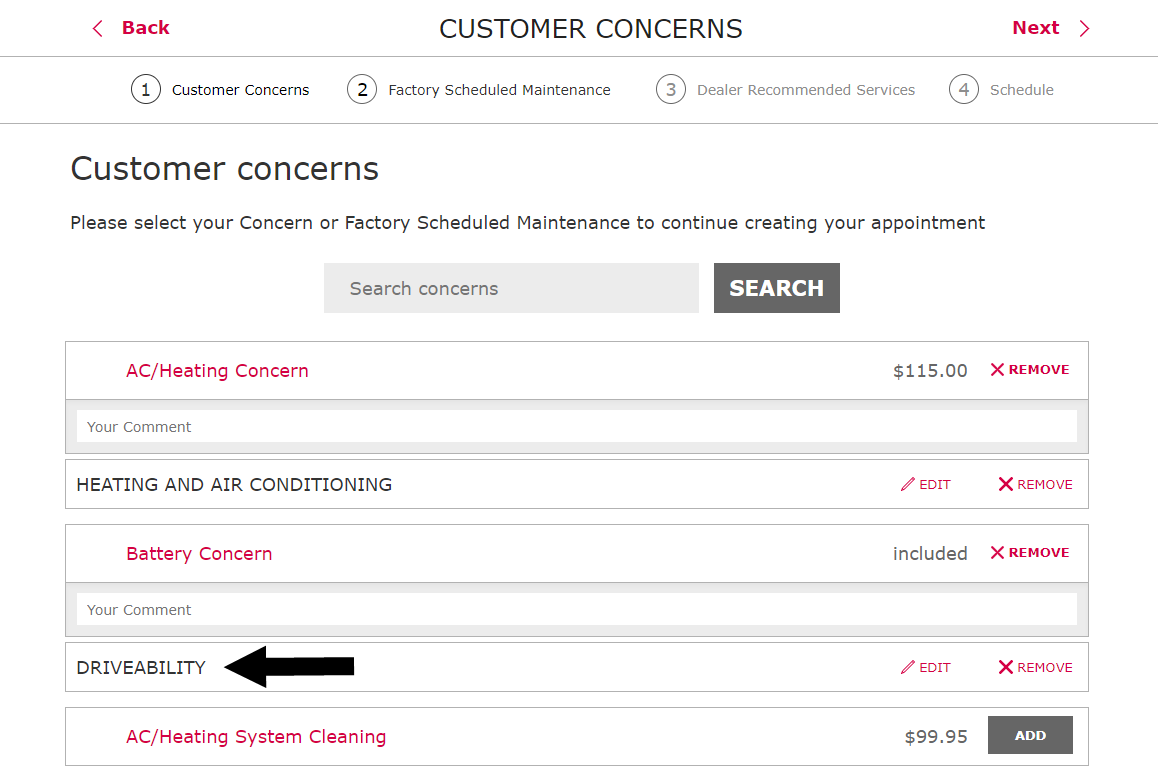
The
Note: The same type of survey can be used for more than one concern.
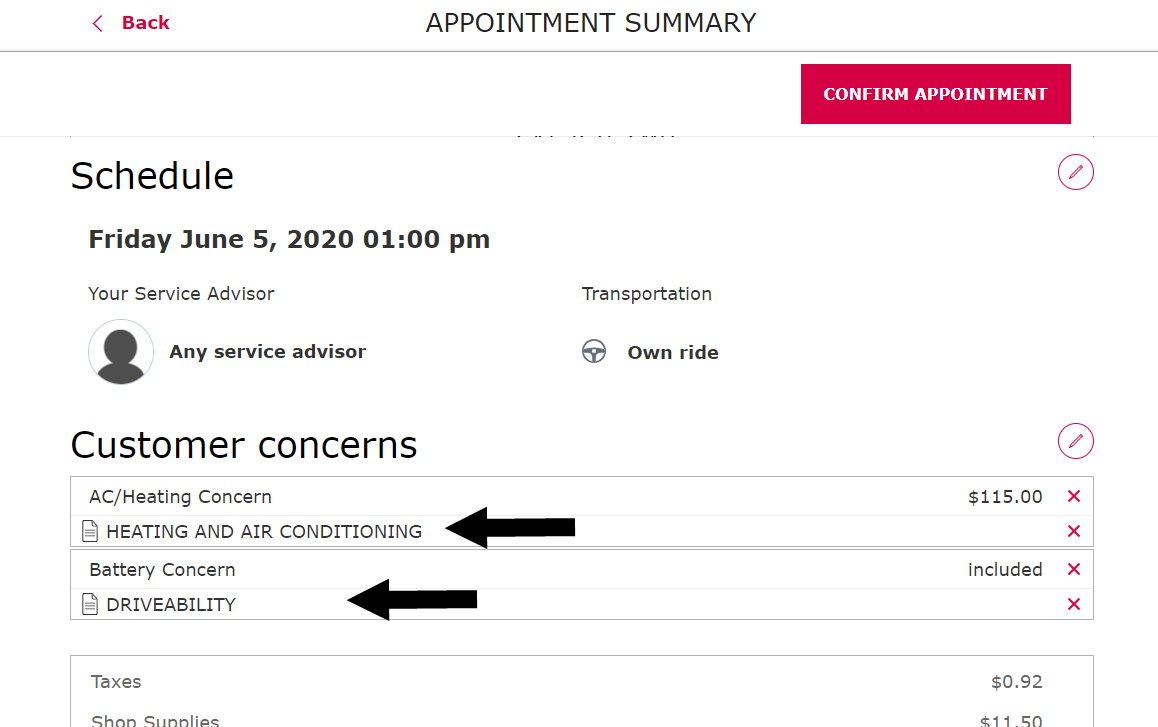
All completed surveys are included with the appointment summary for final review. They are listed with the associated concern.
Advisor Check-In enhancements
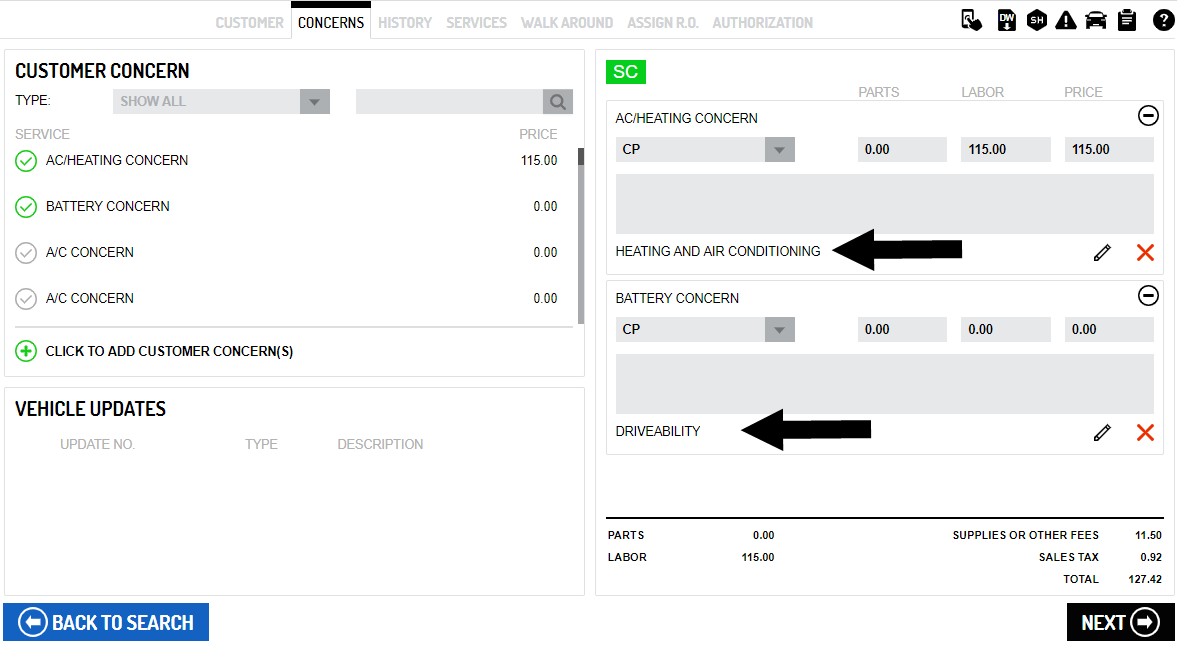
Any surveys completed in OS clearly appear on the Concerns page with the associated customer concern. They can be reviewed, edited or deleted as needed by the
Note: The Symptom Surveys section has been removed.
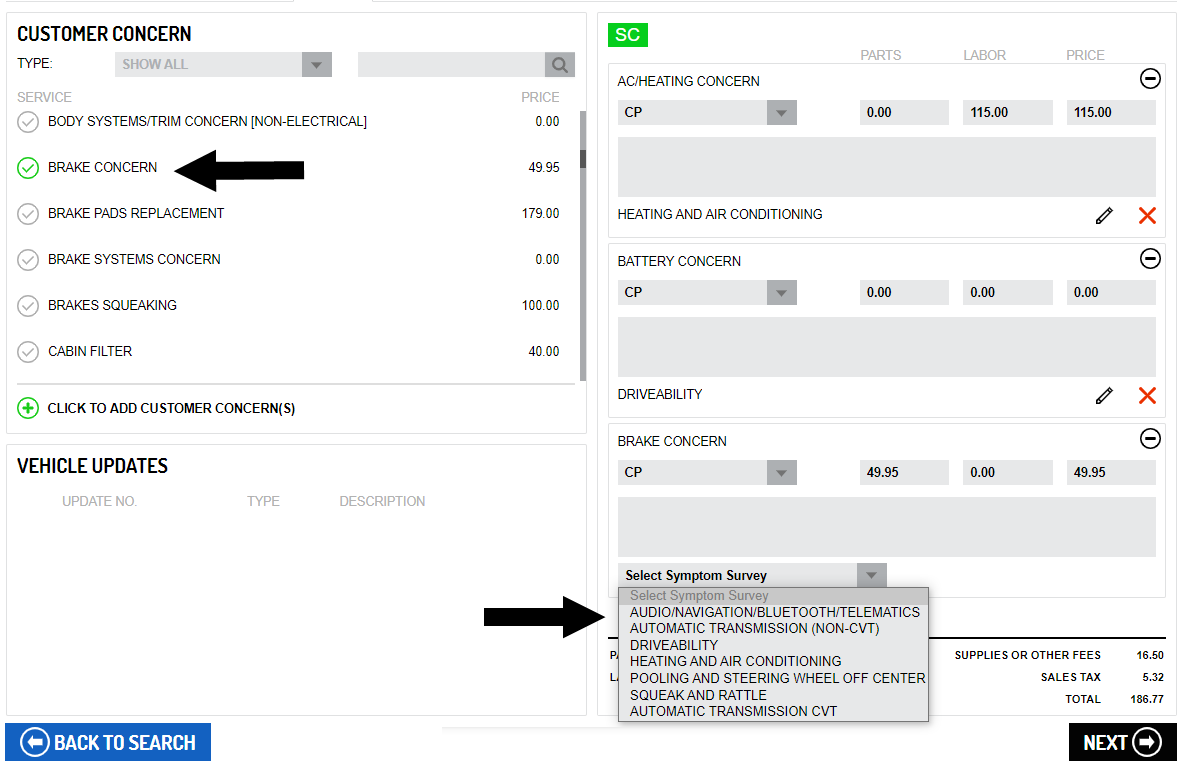
If the
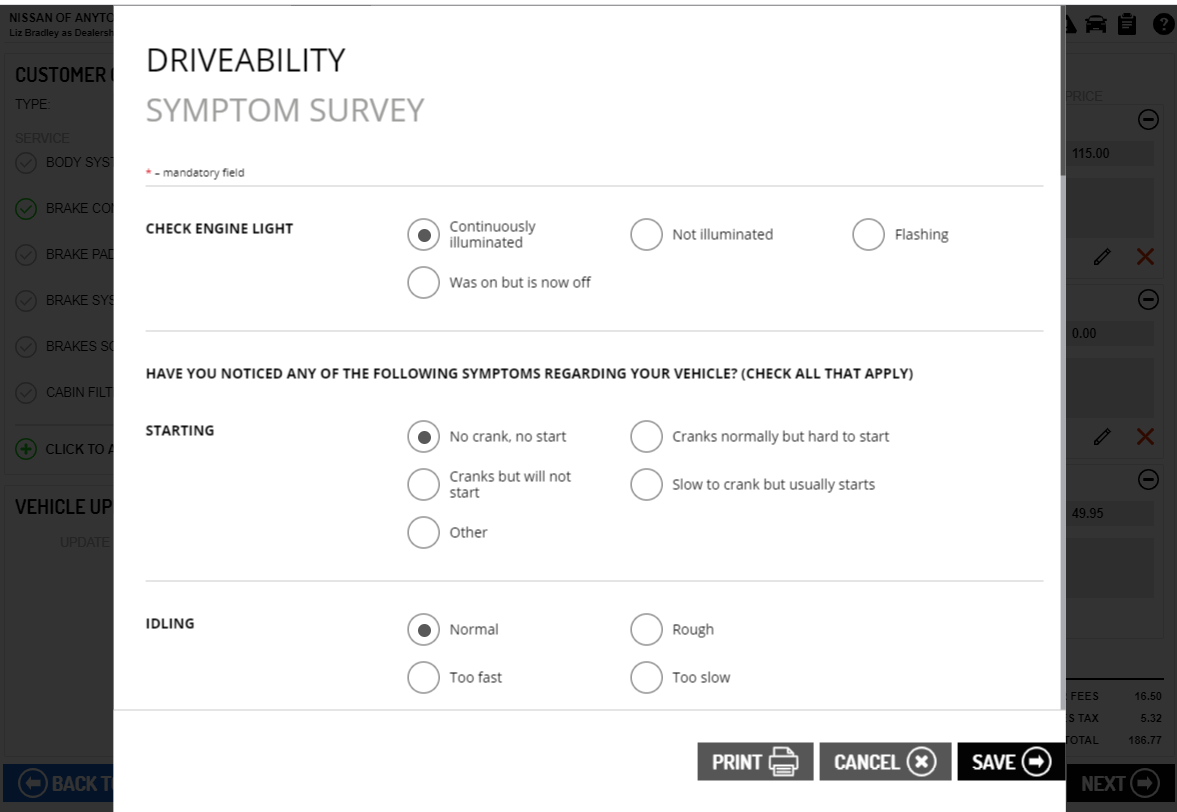
Note: The same type of survey can be used for more than one concern.
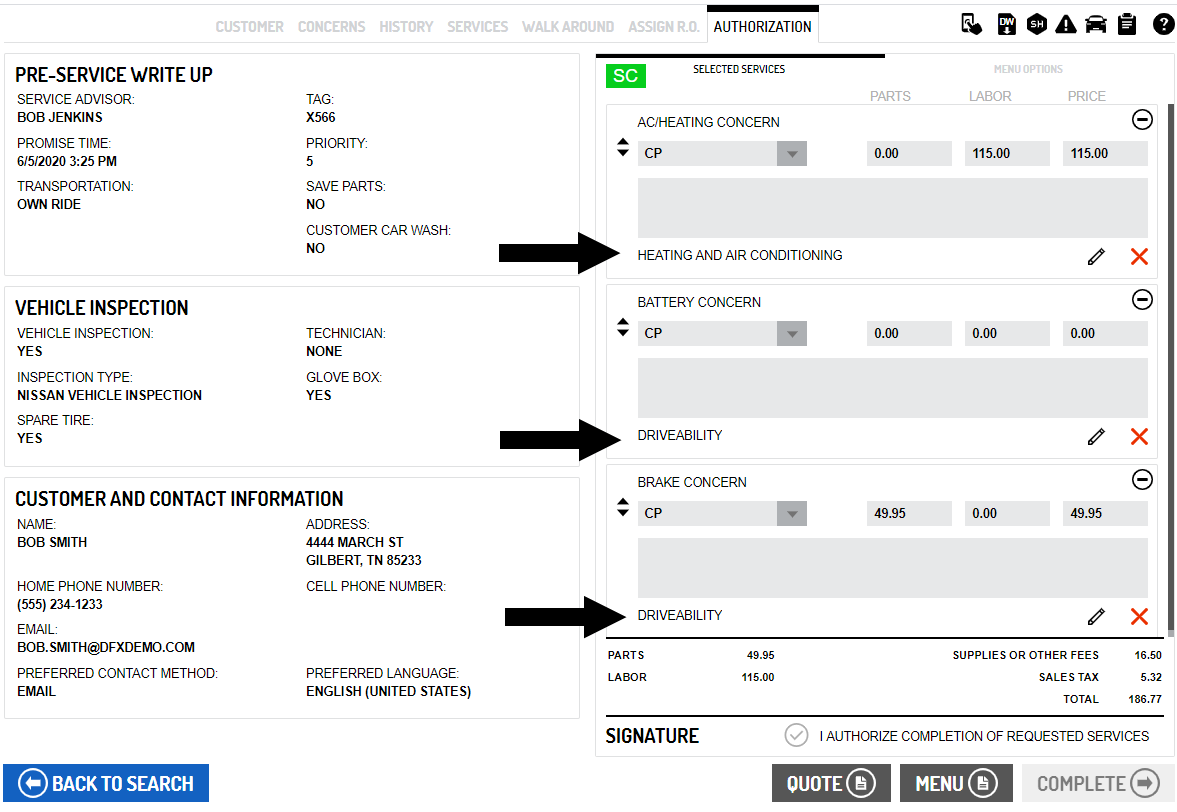
On the Authorization page, each survey is listed with its associated concern.
Note: Deleting a concern at point also deletes the associated survey.
Technician Inspection enhancements
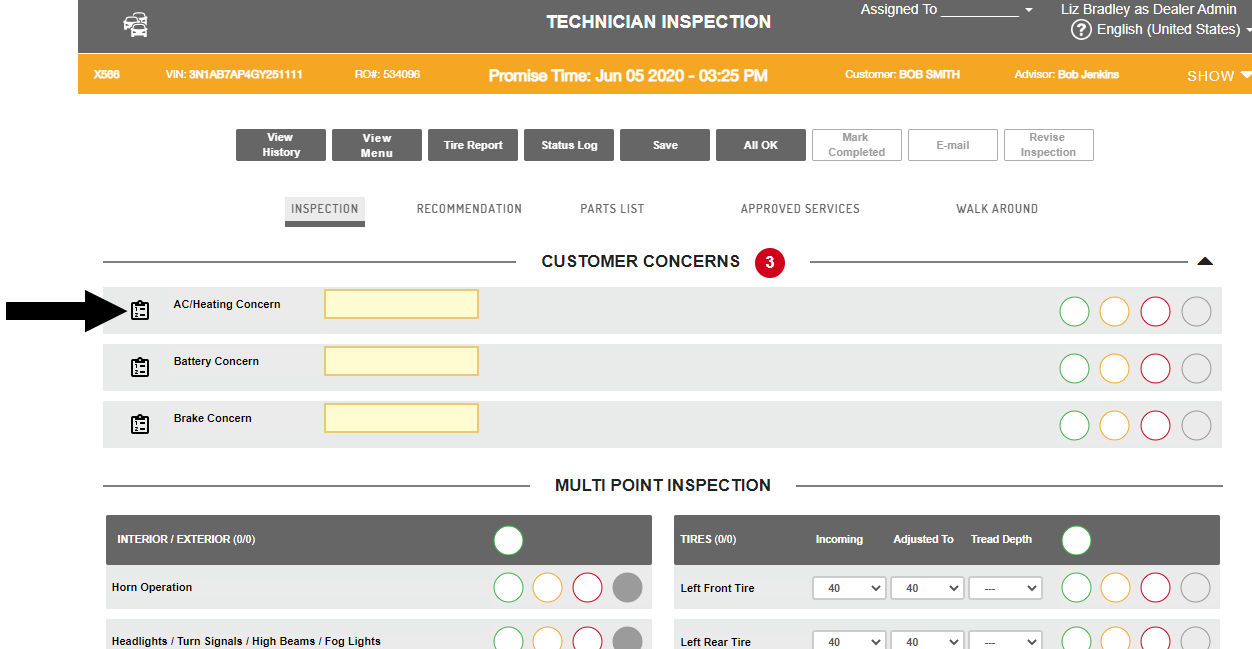
On the Inspection page, completed surveys can be opened by clicking the "Symptom Survey" icon  whenever it appears beside a concern.
Note: The Symptom Surveys section has been removed.
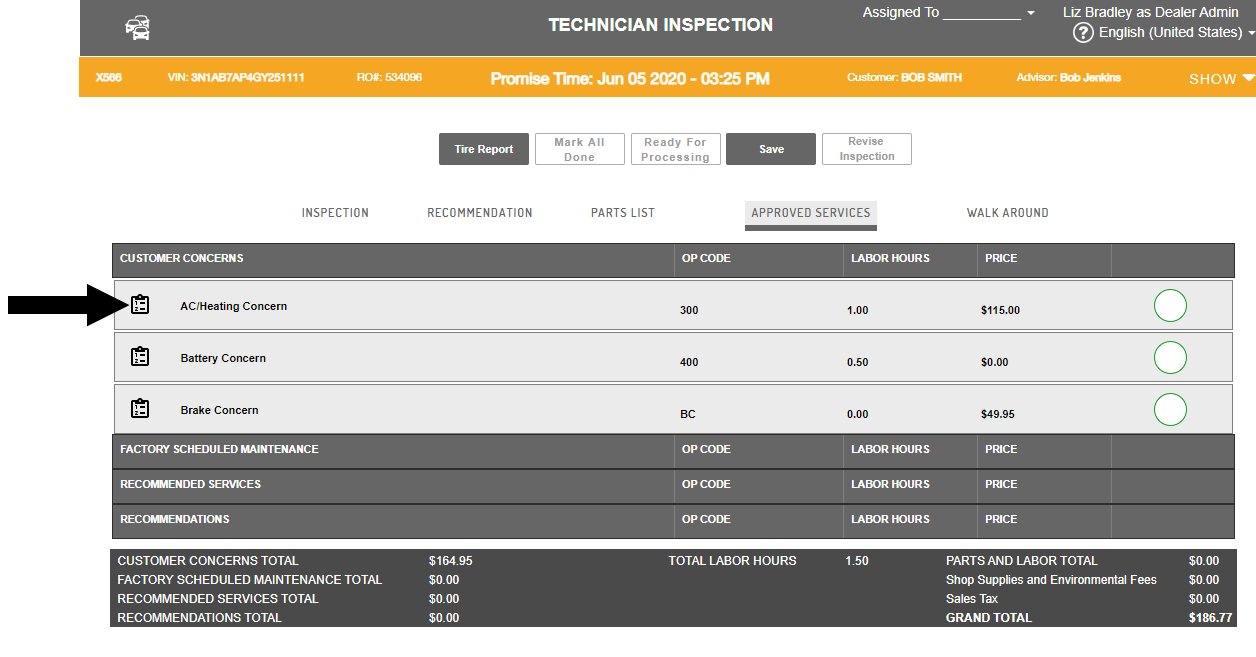
The surveys can also be reviewed on the Approved Services page.