Create a quick appointment
If creating a quick appointment without a VIN or full customer details, use the following process.
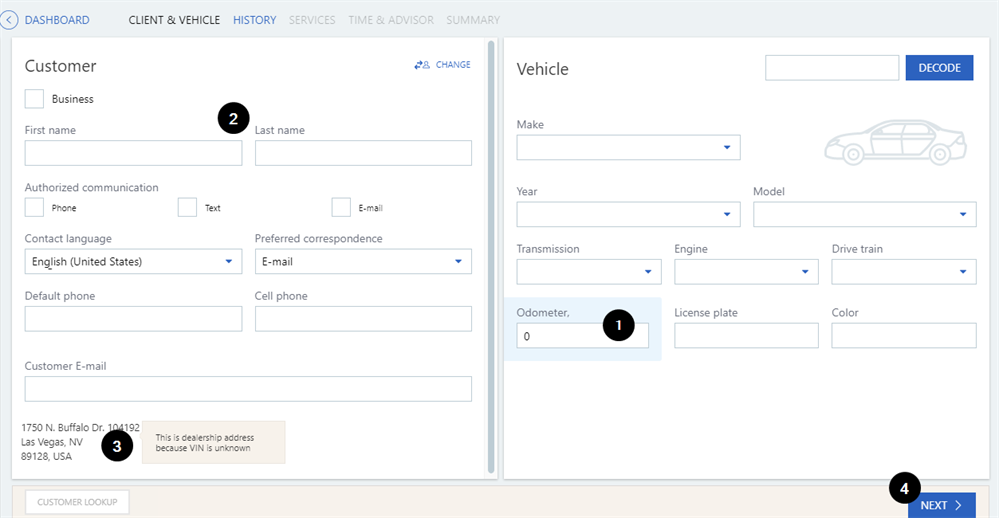
- First complete the vehicle information manually, including the Odometer reading.
- Enter the customer's First Name, Last Name and Default Phone.
- Depending on the dealership configuration, the address defaults to the dealership's or can be entered. If the dealer address is used, the information can be completed when the customer arrives at the dealership,
- Click
 to proceed with setting up the quick appointment.
Note: If the appointment is created without a VIN, the Advisor will not be able to automatically link to the appointment using Advisor Check-In during the service visit. The Advisor will need to look up the appointment manually to see the services requested and add them to the write-up.